rr66 Brings Indonesia Games and Wallets Together
rr66 puts Speed Blackjack, Rocket Crash, Fishing God, live baccarat, slots and football markets behind one account, while DANA, OVO, GoPay and QRIS status…
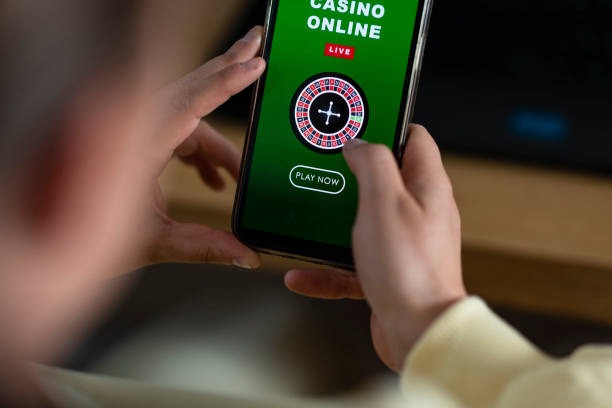
Three Casino Routes From One Lobby
Three clear routes organise our home lobby: live casino tables, casino games and slots.







Open Your Account in Three Clear Steps

Three account steps take you from our home page to the lobby without login confusion. Start with the account option, enter the requested phone details and complete phone verification before account access. After verification, use the same account for casino rooms, sports markets and supported local wallets. We keep the login route visible on mobile so returning access does not
require searching through game categories. Check every detail before submitting it, especially your phone entry, because that record connects your account access, cashier activity and any later status check handled through our help path.
Four Wallet Signals Before Your Cashier Move

One Mobile Path From Login to Lobby
One mobile route carries you from login through wallet status and into the game lobby. On a phone, our home page stacks the account control, category choices and game shelves so you can reach slots without opening several browser tabs. QRIS remains practical on this layout because the cashier presents its step separately from DANA, OVO and GoPay. If you
return on a wider screen, the same account and categories remain available, but additional game cards fit across each row. No separate app claim is needed; access runs through your supported mobile browser.
Slots and Casino Tables Stay Side by Side
Six Cashier Rails With Visible Status
Six cashier routes cover the payment context shown from our home page: DANA, OVO, GoPay, QRIS, bank transfer and virtual account. Choose the method first, read the displayed account or scan step, and confirm the details before sending funds. A deposit status can then be checked from the cashier rather than inferred from your wallet balance alone. Withdrawal requests may
require account and transaction checks, so we do not present one fixed completion time. Keep the payment receipt or reference available because it helps us match a delayed status with the correct account record.
Four Checks Behind Every Account Session
Four visible control points explain how our home experience operates: phone verification, named payment rails, recorded transaction status and accessible policy links.
Phone verification
We require the displayed phone verification step before account access. This connects your entry route to one account and gives our help path a clear record when an access status needs checking.
Named cashier rails
The cashier identifies DANA, OVO, GoPay, QRIS, bank transfer and virtual account separately. You can see which route you selected before acting, including bank context for BCA, BRI, Mandiri and BNI.
Transaction records
Payment status remains connected to your account record and selected rail. If a status stalls, retain the amount, time and receipt reference so our account-help route can check the correct transaction.
Visible policy access
Account terms and related policy paths remain reachable from the home experience. Read the applicable wording before opening an account or using the cashier, as access depends on local law.

Phone Verification Protects Your Account Entry
Phone verification is completed before you receive account access, giving the home login path a clear connection to your details. Enter your own phone entry carefully, create credentials you do not reuse elsewhere and keep verification codes private. We will not need your password or verification code to check a payment receipt. When you finish using a shared device, close
your account session rather than leaving the lobby open. If entry stalls, use the account-help route near the cashier and describe the stage you reached without sending sensitive credentials in your request.
Six Indonesia Payment Rails in One Cashier
DANA and QRIS give you clearly separated cashier routes, while OVO and GoPay retain their own wallet labels and displayed status.
Three Sports Categories Beside Casino Rooms
Football, badminton and basketball markets sit beside the casino and slots routes on our home page.
Indonesia Access Depends on Local Law

Indonesia access depends on local law, even when our home page and its payment names are visible on your device. Before opening an account, read the applicable account terms and confirm that you may use the offered categories and cashier routes from your location. DANA, OVO, GoPay, QRIS and Indonesian bank context describe supported transaction paths, not universal eligibility. The
same principle applies to casino games, live tables and sports markets. We keep policy access close to the account route so you can check the relevant wording before submitting phone details or starting a cashier action.
Three Routes When Account Status Stalls
Three common issues have direct help paths from the home experience: account entry, wallet status and payment receipt matching. Start from the account-help option near the cashier, select the issue that reflects your current stage and provide only the transaction details needed for checking. The support panel displays its current service hours, so you can see when a response path is operating before sending a request. For payment checks, prepare the method name, amount, time and receipt reference. Never include your password or phone verification code in the message.
Account entry help
Use this route when phone verification or account access does not progress. State the step shown on your screen and your account identifier, but keep your password and verification code private.
Wallet status help
Choose wallet status help when DANA, OVO, GoPay or QRIS remains at an unexpected stage. Include the selected method, transaction time and displayed status so the correct record can be checked.
Receipt matching
For bank transfer or virtual account issues, keep the receipt reference and bank context ready. Accurate amount and time details help connect your request to the matching cashier record.
Receipts Make Support Checks More Precise
A complete receipt gives our support path the concrete fields needed to trace a cashier status. Before contacting us from the home page, collect your account identifier, payment method, amount, transaction time and reference number. Add the exact status shown in the cashier and identify whether the action used DANA, OVO, GoPay, QRIS, bank transfer or virtual account. A screen
image may help when it shows the status, but conceal unrelated personal details. Do not send a password or verification code. For access questions, include your location because eligibility depends on local law.
Seven Answers About the rr66 Home
Seven practical answers cover what you are likely to check before opening an account from the rr66 Home page. They explain the lobby contents, phone verification, local wallets, mobile behaviour, withdrawal status, support preparation and Indonesia access. Each answer points to a visible account or cashier step rather than making assumptions about your transaction. If your question concerns a specific payment, keep its receipt reference available and use the help route near the cashier. For eligibility questions, remember that access depends on local law.